

How to check if your tenant uses multi-geo
Open Exchange Online PowerShell as an admin and run:PowerShell
AllowedMailboxRegions shows more than one region, your tenant uses multi-geo.
To check the region of a specific shared mailbox or agent:
PowerShell
MailboxRegion is blank, the mailbox lives in your tenant’s default region.
Why this affects shared mailbox tracking
When an agent sends from a shared mailbox usingSend As, Microsoft is supposed to write an audit event that identifies the agent. Email Meter ingests these events to attribute the email correctly.
In a multi-geo tenant, when an agent’s mailbox is in a different region from the shared mailbox they’re sending from, Microsoft does not write that audit event. The email itself still arrives in your dataset (sent from the shared mailbox), but with no information about which agent actually sent it.
This limitation is documented by Microsoft:
“In a multigeo environment, cross-geo mailbox auditing isn’t supported. If you assign a user permissions to access a shared mailbox in a different geo location, mailbox actions that the user performs aren’t logged in the mailbox audit log of the shared mailbox.”
Agents who sit in the same region as the shared mailbox they delegate to are not affected. Only cross-region delegation breaks audit tracking.
What you can do about it
There are two practical paths forward. Both work, but each comes with trade-offs.Switch affected agents to Send on Behalf
Send on Behalf doesn’t depend on audit logs at all. The agent’s identity travels in the message metadata itself, so this path works regardless of which region the agent or shared mailbox is in.
The trade-off: external recipients will see “Agent Name on behalf of Shared Mailbox” rather than just “Shared Mailbox”. For internal-facing teams this is often fine; for customer-facing accounts or finance functions, it can be a concern.
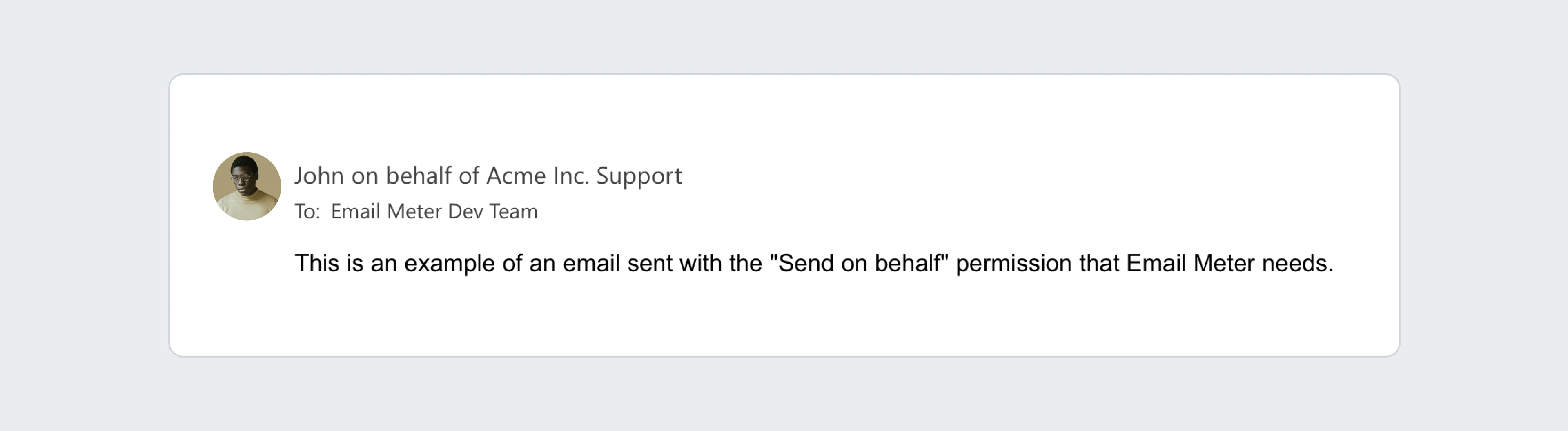 To switch permissions, follow these steps.
Align mailbox regions
You can move agents into the same region as the shared mailboxes they delegate to, or move the shared mailboxes into the agents’ region. Once everything is same-region, the audit pipeline works as expected. This is a heavier Exchange administration task and only makes sense if the regional split was incidental rather than intentional.If neither option fits your team’s setup, get in touch with your Business Intelligence Consultant. There may be additional approaches we can explore together depending on your specifics.
Frequently asked questions
How do I confirm multi-geo is actually the cause for my missing agents?
How do I confirm multi-geo is actually the cause for my missing agents?
Cross-reference each missing agent’s
MailboxRegion against the region of the shared mailbox they delegate to. If the missing agents are consistently in a different region than the shared mailboxes, multi-geo is the cause. If the missing agents are in the same region, something else is going on, and you should reach out to your Business Intelligence Consultant.Is this an Email Meter limitation?
Is this an Email Meter limitation?
No, this is a Microsoft platform limitation. Microsoft does not write the audit events at all when delegation happens across regions, so there is no data for Email Meter to ingest. The Microsoft documentation confirms this.
Will Microsoft fix this?
Will Microsoft fix this?
There is no indication from Microsoft that this is on their roadmap. The limitation has existed since multi-geo launched and has been confirmed by Microsoft community sources as recently as 2023. Plan around it rather than waiting for a fix.
Does this affect Send on Behalf too?
Does this affect Send on Behalf too?
No.
Send on Behalf carries the agent’s identity in the message metadata directly, so it doesn’t rely on audit logs. It works the same way regardless of mailbox region.